
Screenshots
App details
- Updated
- Mar 17, 2014
- Language
- English
- Developer
- MARSoft
- Category
- Mobile
SoftPas in:
This product is also available in the following languages:
About Agronomina
Download Agronomina – Régimen Agrario, Nóminas, Seguros Sociales, document generator, agricultural sector, Social Security, Spain, farm management, payroll, accounting
Overview
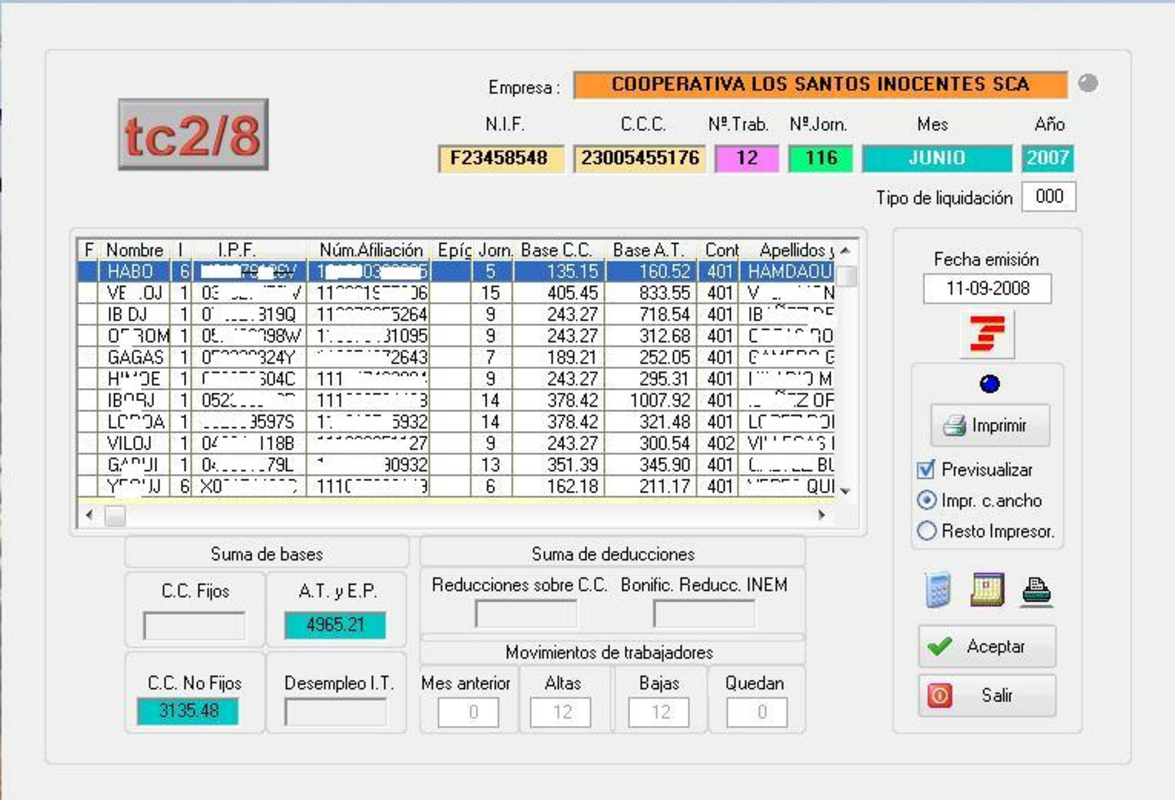
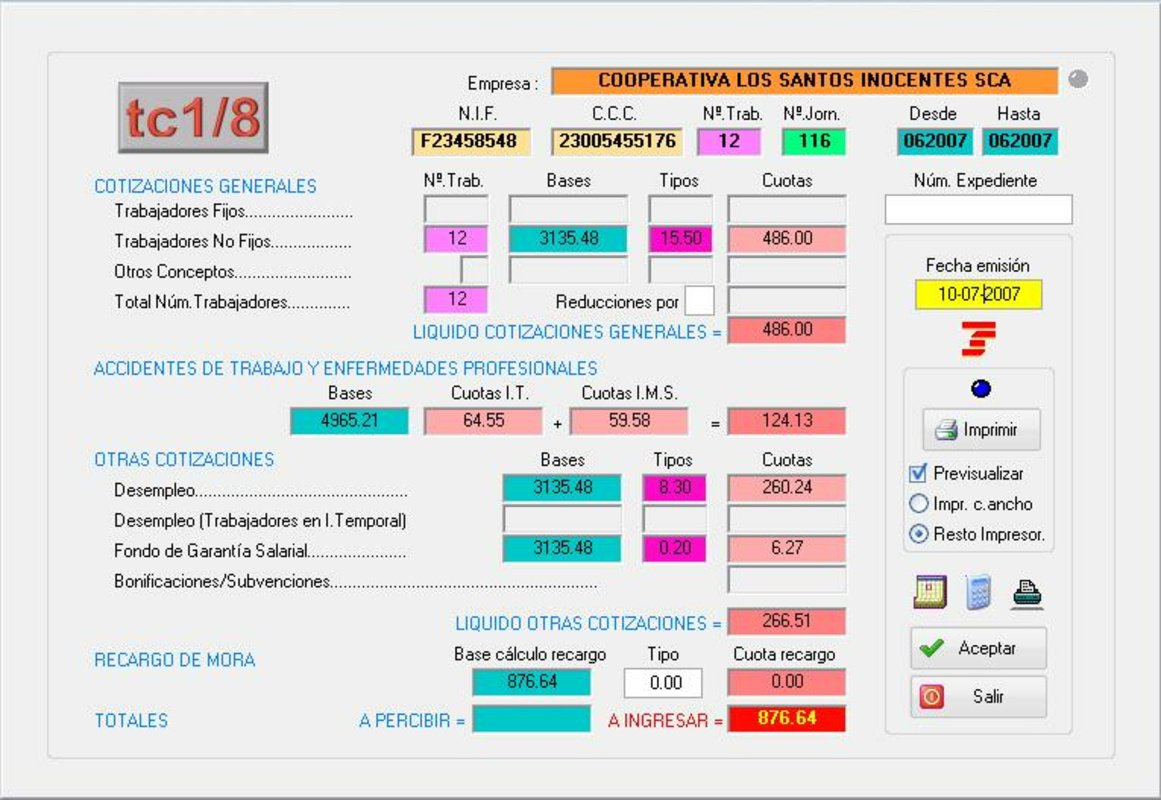
Agronomina is a specialized mobile application designed for users within Spain’s agricultural sector who require accurate and compliant documentation under the Régimen Agrario. The app serves as a dedicated tool for generating essential administrative documents, including Nóminas (payrolls) and Seguros Sociales (social security contributions), ensuring alignment with current regulations set by official state bodies. By continuously updating its database, Agronomina helps farmers, agricultural entrepreneurs, and small business owners maintain legal compliance without the need for external consultants for every document update.
The app is particularly valuable for managing the complex administrative demands of seasonal farming operations, where timely and accurate reporting is critical. It supports users in maintaining proper records throughout different agricultural campaigns, helping to avoid penalties or delays in social security processing. Its focus on the agricultural industry ensures that all features are contextually relevant, avoiding unnecessary complexity found in generic productivity tools.
Although the developer did not provide additional technical details about the company’s background, the app’s longevity—first released in 2014—indicates a stable and dedicated user base. The continued updates suggest ongoing commitment to regulatory accuracy. Agronomina fills a niche in the Spanish mobile productivity ecosystem by offering a targeted solution for a high-compliance sector, making it an essential utility for anyone managing agricultural employment and finances.
Key Features & Functionality
- Up-to-Date Document Creation: The app automatically incorporates the latest legal updates from official sources, enabling users to generate Régimen Agrario-compliant documents without manual research.
- Comprehensive Document Types: Users can create multiple document formats, including Nóminas and Seguros Sociales, streamlining payroll and social security reporting processes.
- Integrated Accounting Module: The app includes tools to track earnings, expenses, and VAT, supporting financial oversight across farming cycles and business operations.
- User-Friendly Interface: Designed with intuitive navigation, the interface allows both experienced professionals and new users in agriculture to generate documents efficiently.
- Targeted Agricultural Focus: All functionalities are tailored specifically to the needs of the Spanish agricultural sector, ensuring relevance and usability in real-world farming environments.
For example, a small farm owner can use Agronomina to generate a monthly payroll, calculate social security contributions, and record expenses—all within a single platform. This integration reduces the need for multiple tools and minimizes the risk of data inconsistency. The app’s ability to handle recurring tasks during planting and harvest seasons makes it a practical choice for managing fluctuating workforces and seasonal income.
Interface, UX & Performance
Agronomina features a clean, organized interface designed with the agricultural professional in mind. Navigation is structured around core functions such as document creation, accounting tracking, and settings, allowing users to access key tools with minimal steps. The visual layout emphasizes clarity, using consistent icons and labeled sections to guide users through each process.
Although the developer did not list formal performance metrics, the app’s interface is described as responsive and stable during typical usage. Users can expect smooth transitions between screens and efficient loading times when generating documents. The app appears optimized for a range of Android devices, though specific device compatibility was not disclosed.
Performance on lower-end devices may vary, but the app’s file size of 28.9 MB suggests a lightweight footprint, which supports efficient operation even on older hardware. Stability during data entry and document generation is likely maintained through regular updates, though no official reports on crash rates or memory usage were provided.
Platform Compatibility & Technical Requirements
Agronomina is available exclusively on the Android platform. The current version is 3.0.4, with a file size of 28.9 MB. The app is free to download and install, making it accessible to a broad audience of agricultural professionals across Spain.
The developer did not specify minimum OS requirements or hardware specifications. However, given its release date in 2014 and continued updates, it is likely compatible with Android 5.0 and later versions. Users are advised to check their device’s system version to ensure compatibility. The app does not require high-end hardware, which supports its use across diverse farming environments.
Pros and Cons
Pros
- Specifically designed for Spain’s Régimen Agrario, ensuring regulatory compliance.
- Regular updates to reflect changes in social security and agricultural laws.
- Integrated accounting tools for tracking financial performance.
- Free to download and use, reducing operational costs.
- User-friendly design suitable for non-technical users in agriculture.
Cons
- Platform availability limited to Android; no iOS version was listed.
- Specific OS requirements were not disclosed by the developer.
- No public information on customer support channels or update frequency.
- File size, while modest, may still impact storage on older devices.
- Limited visibility into advanced features or export options.
FAQ
Is Agronomina available for iOS devices?
The app is currently available only on the Android platform. There is no official iOS version listed by the developer.
How often does the app update to reflect new regulations?
Agronomina is designed to continuously update its database to align with the latest changes from official state bodies. The exact update frequency was not disclosed.
Can I use Agronomina without an internet connection?
The app may allow offline access to previously created data, but generating new documents compliant with current regulations likely requires an internet connection for real-time updates.
Is the app secure for handling sensitive financial and payroll data?
While the developer did not provide specific security details, the app is designed for official document generation and likely includes basic data protection measures common in productivity tools.
What kind of devices can run Agronomina?
The app has a file size of 28.9 MB, suggesting compatibility with most Android devices. However, the developer did not list specific hardware or OS requirements.
Final Thoughts
Agronomina stands out as a focused, reliable tool for Spanish agricultural professionals who need to manage payroll, social security, and basic accounting within the Régimen Agrario framework. Its specialized design, combined with regular updates and a free pricing model, makes it a valuable asset for small farms and independent agricultural workers. While platform limitations and lack of detailed technical information exist, the app delivers clear value in its niche.
For anyone involved in farm management in Spain, especially those handling seasonal labor and compliance reporting, Agronomina offers a streamlined, efficient solution. It reduces administrative burden and supports legal compliance without requiring advanced technical knowledge.
Download Agronomina now
Guides & Tutorials
How to install Agronomina
- Click the Download button above.
- Once redirected, accept the terms and click Install.
- Wait for the Agronomina download to finish on your device.
How to use Agronomina
This software is primarily used for its core features described above. Open the app after installation to explore its capabilities.
User Reviews
No reviews yet. Be the first to share your experience.
You may also like
more
Que no te pillen¡
About !Que no te pillen¡Reviewed by Jason A. BilbreyShow MoreShow Less

3D Combat Zone
About 3D Combat ZoneOriginally released in 1983, 3D Combat Zone immerses players...

666: El día del portal
About 666: El día del portalOn June 6, 2006, Agent P. Stone uncovers a sinister...

80 in 1 Best Flash games
About 80 in 1 Best Flash games 80 in 1 Best Flash games is a collection of 80 fl...

ABYSS SEEKERーーWhat Do You See Deep in The Abyss
About ABYSS SEEKERーーWhat Do You See Deep in The AbyssIn ABYSS SEEKER, players...

ACA NEOGEO THE KING OF FIGHTERS 2002 for Windows
About ACA NEOGEO THE KING OF FIGHTERS 2002 for WindowsTHE KING OF FIGHTERS 2002,...